Das Razer Treiber-Bereinigungstool ist ein letzter Windows-Schritt, wenn normale Deinstallation, Reparatur und Neustart Treiberkonflikte oder Erkennungsfehler nicht lösen. Sichere Profile und erstelle vorher einen Wiederherstellungspunkt.
Quellenstatus: Offizielle Seite, stabiles ZIP und Installer am 23. Juli 2026 geprüft.
Nutze es bei beschädigten oder doppelten Treibern eines unterstützten Geräts, wiederholtem Synapse-Fehler nach vollständiger Deinstallation oder einem unbrauchbaren, von Windows wiederhergestellten Treiberzustand. Es ist kein Leistungs-Booster.
Back up profiles, record DPI and key assignments, create a Windows restore point, finish Windows Update, note the exact model and RZ number, disconnect unnecessary peripherals, and test a direct USB port before removing drivers.
Use a direct USB port without a hub.
Keep the PC connected to power.
Download the official ZIP and installer in advance.
Step by step
Saubere Synapse-Neuinstallation
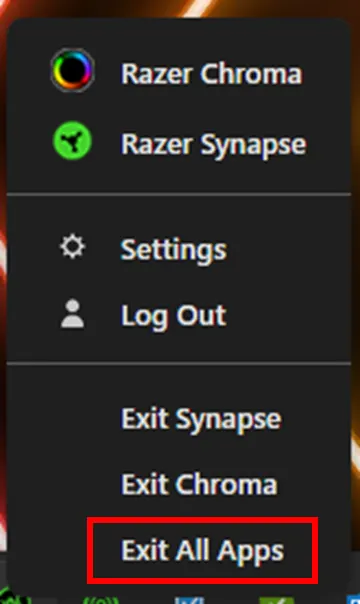
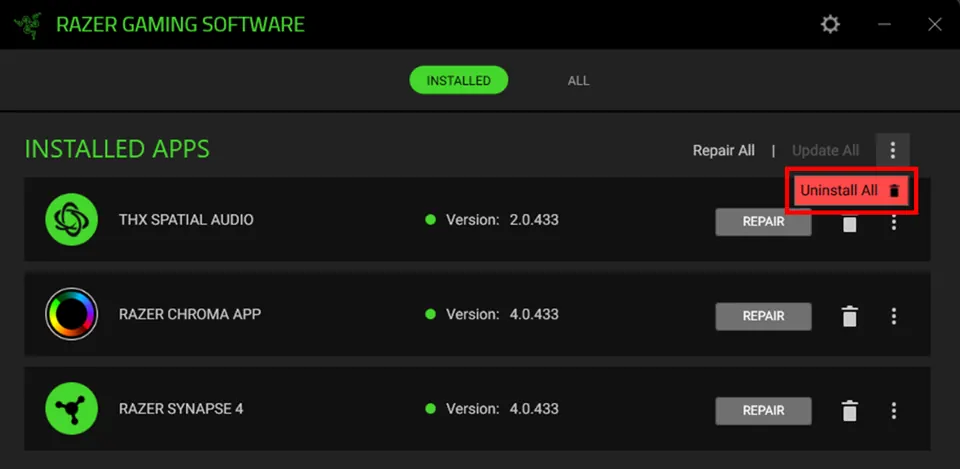
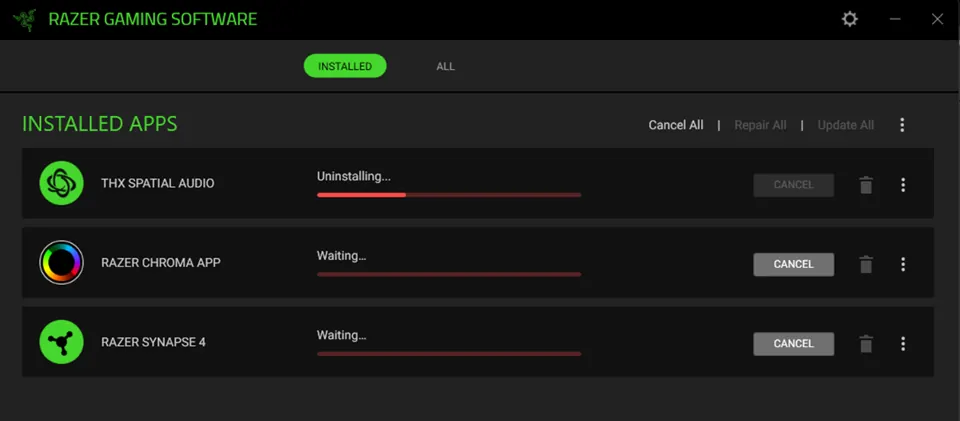
Beende alle Razer-Apps, deinstalliere Synapse über Installierte Apps, wähle Alles deinstallieren, warte und starte neu. Bleibt der Fehler, entpacke das offizielle ZIP, führe die Bereinigung als Administrator aus, starte neu und installiere Synapse 4 von Razer.
Do not run unofficial mirrors, registry cleaners, or guessed DriverStore deletion commands. Reconnect one supported device after installation and wait for Windows and Synapse to finish setup before restoring other peripherals or profiles.
Do not interrupt uninstall or driver cleanup.
Restart after normal uninstall and after cleanup.
Verify device detection before importing profiles.
Troubleshooting
Wenn die Bereinigung nicht hilft
Prüfe Geräte-Manager, direkte USB-Ports, Windows Update, exaktes Modell, Supportliste und Konflikte mit RGB-Tools. Sammle Screenshots und Logs für den Razer Support statt die Bereinigung zu wiederholen.
A warning icon, repeated USB disconnect sound, unknown USB device, or failure on another PC can point to Windows, cable, USB power, chipset, or hardware causes. The cleanup tool cannot move a device into a different Synapse support list.
Test another direct USB port.
Temporarily close third-party RGB utilities.
Contact Razer Support with evidence when the fault remains.
Safety
Download- und Wiederherstellungsgrenzen
Der geprüfte Link führt zu DriverCleanup_22_04_2026.zip auf dl.razerzone.com. Es ist weder der Synapse-Installer noch ein universelles Treiberpaket. Nutze nur Razer-Domains und behalte Sicherungen.
The stable redirect can change when Razer replaces a file, so confirm the final host remains Razer-owned. Keep the restore point and backups until the device and settings survive several restarts.
Use only Razer-owned pages and download hosts.
Never trust a modified cleanup bundle.
Use Windows restore instead of improvised deletion if instability appears.
Final test
Prüfliste für die saubere Neuinstallation
The repair is complete only when Windows, Synapse, and the device stay stable after restart.
1
Windows starts normally
No new boot, USB, or driver warnings appear.
2
One supported device is detected
Test directly before adding hubs or extra peripherals.
3
Core controls survive restart
DPI, keys, lighting, or audio settings remain applied.
4
Profiles restore gradually
Imported settings do not recreate the fault.
If a check fails, identify compatibility, Windows, USB, other software, or hardware causes instead of repeating cleanup.